StarTech.com
StarTech 4-Port USB-C Hub
StarTech 4-Port USB-C Hub
Couldn't load pickup availability
Four USB-A ports in a compact USB-C hub
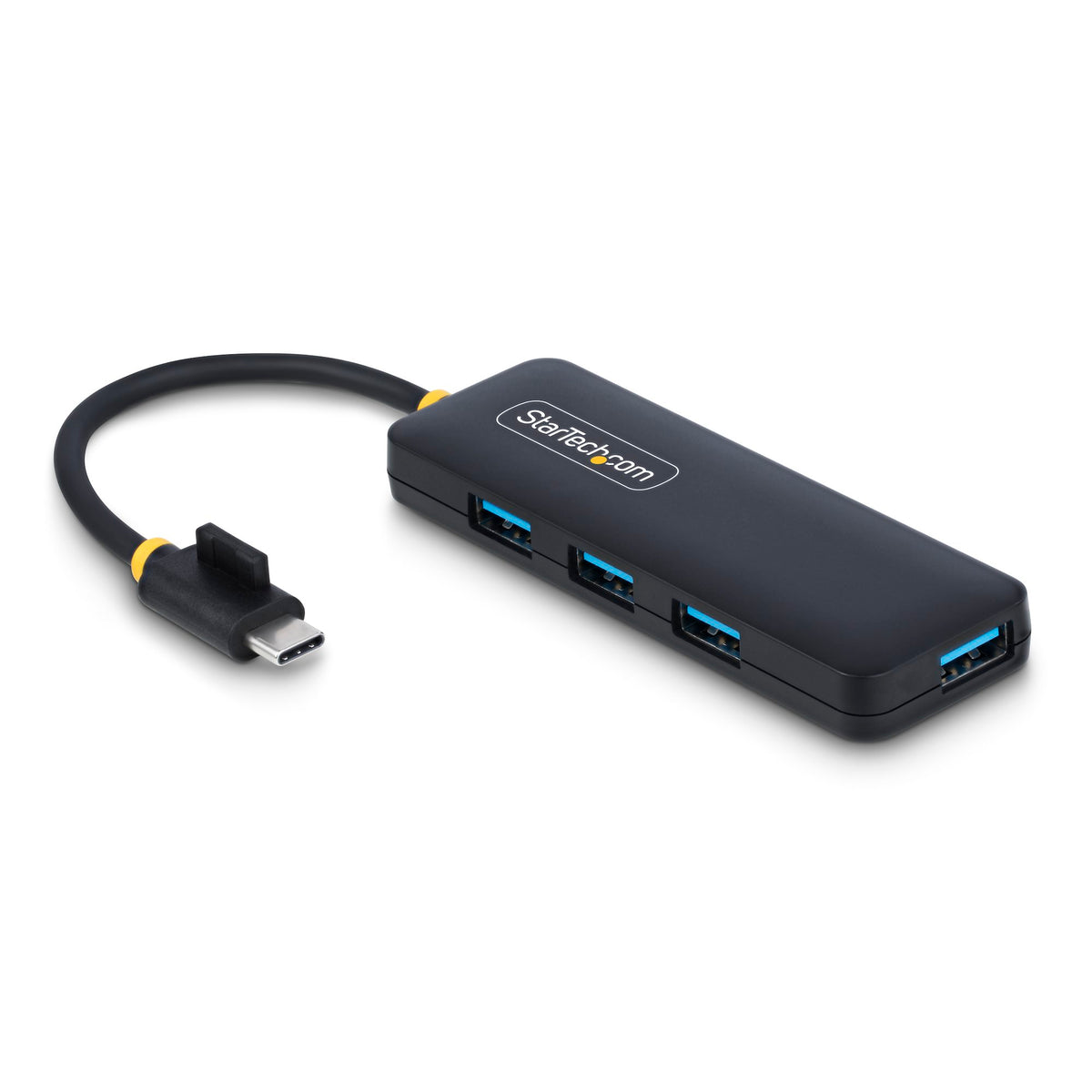
Add connections for suitable USB peripherals with a small, bus-powered hub. On the X6200, use low-power devices only; see the tested setup below. The StarTech.com H5C4A-USB-HUB has four USB-A sockets and an attached 13 cm USB-C host cable.
Expand the radio's USB HOST connection while running OpenX6X00, the open firmware we maintain. On the X6200, use low-power USB devices only; a keyboard worked in our test, but the tested IR mouse did not.
The lightweight 32 g hub provides four USB-A data ports. It takes power from its USB-C host connection and needs no separate hub power supply.
Choose it for the right radio
X6100: RF.Guru has tested this model with OpenX6X00. Connect it to the USB HOST port, rather than the computer-facing USB DEV port. The hub and all connected peripherals share the available USB power.
X6200: supported for low-power USB devices only. RF.Guru tested this hub successfully with a keyboard while running OpenX6X00, but an IR mouse failed in our test. Do not assume that every keyboard or mouse will work. The hub and connected devices share the radio's limited USB power.
Xiegu's X6200 manual cautions against external hubs because USB power is limited. Our successful tests apply to the low-power setups described above. For Ethernet without a hub, the Delock 81570 is also tested on both radios.
Simple USB expansion
The four peripheral sockets are USB-A; the attached plug for the host is USB-C. This model has no Ethernet port and no auxiliary power input. For USB expansion and wired Ethernet on the X6100, or on the X6200 with low-power USB devices only, choose the three-port StarTech hub with Gigabit Ethernet.
The USB interface supports up to 5 Gb/s on a suitable host and is backward compatible with USB 2.0 and USB 1.1. The radio's USB interface and connected devices determine actual speeds. Four sockets do not increase the power available from the radio; use a suitable host for devices that need more power.
Technical details
| Manufacturer / model | StarTech.com H5C4A-USB-HUB |
|---|---|
| Host connector | USB-C male, attached 13 cm cable |
| Peripheral ports | 4 × USB-A, USB 3.2 Gen 1 / USB 3.0, up to 5 Gb/s |
| Port arrangement | Three sockets on one side and one on the end |
| Controller | VIA VL817S |
| Power | USB bus powered; no auxiliary power input |
| Protection | Overcurrent protection |
| Colour / weight | Black · 32 g |
| UPC | 065030912136 |
| In the box | USB hub with attached host cable and product documentation |
The hub is OS independent and works with Windows, macOS, ChromeOS and Linux computers. Radio compatibility is described separately above. See the manufacturer's product information and browse our OpenX6X00 hardware collection.
Follow RF.Guru updates
Get new product notes and engineering articles by email.
Join the notification list →Quick answers
- Does this hub have Ethernet? No. It provides four USB-A data ports. Choose a separate Ethernet adapter or the three-port hub with Ethernet for networking.
- Does it need an external power supply? No. It draws power from the host USB port and has no auxiliary input. Connected peripherals must fit within the host's available power.
- Has RF.Guru tested it on both Xiegu radios? Yes. It works with OpenX6X00 on both radios. On the X6200, support is limited to low-power USB devices: a keyboard worked, but the tested IR mouse failed. See the model-specific note above.
- Are adapters or extra cables included? The USB-C host cable is attached. No separate host adapter is listed in the package contents.
Share